OCCUPANCY IN VIEW
See how your property is occupied during the dates you select.
REPORTS FOR YOUR PROPERTY
Review occupancy, recorded charges and guest payments for the period you choose, using the same property record your team works with every day.

See how your property is occupied during the dates you select.
Review the charges recorded against each stay.
See the guest payments recorded against each stay.
Work from the same property information your team records throughout the stay.
THE PROBLEM
Every day, your team records bookings, manages stays, adds charges and takes payments. When you review the property, those records should give you one connected picture of the work.
Reservations are added as guests book their stays.
Each stay moves forward as your team manages the guest's visit.
Charges are added as they are recorded during the stay.
Guest payments are recorded as they are received.
THE CONNECTED WAY
Your team records the booking, manages the stay and records its charges and payments in Lodgewave. Reports brings that recorded information into a view of the period you choose.
GD-2610-0057 · Harbour Queen · Nov 20 – 22, 2026 · $514.30
The reservation is created and becomes part of the property's operating record.
Your team records the stay as it moves through check-in, the guest's visit and check-out.
Charges and payments are recorded against the stay in the same property record.
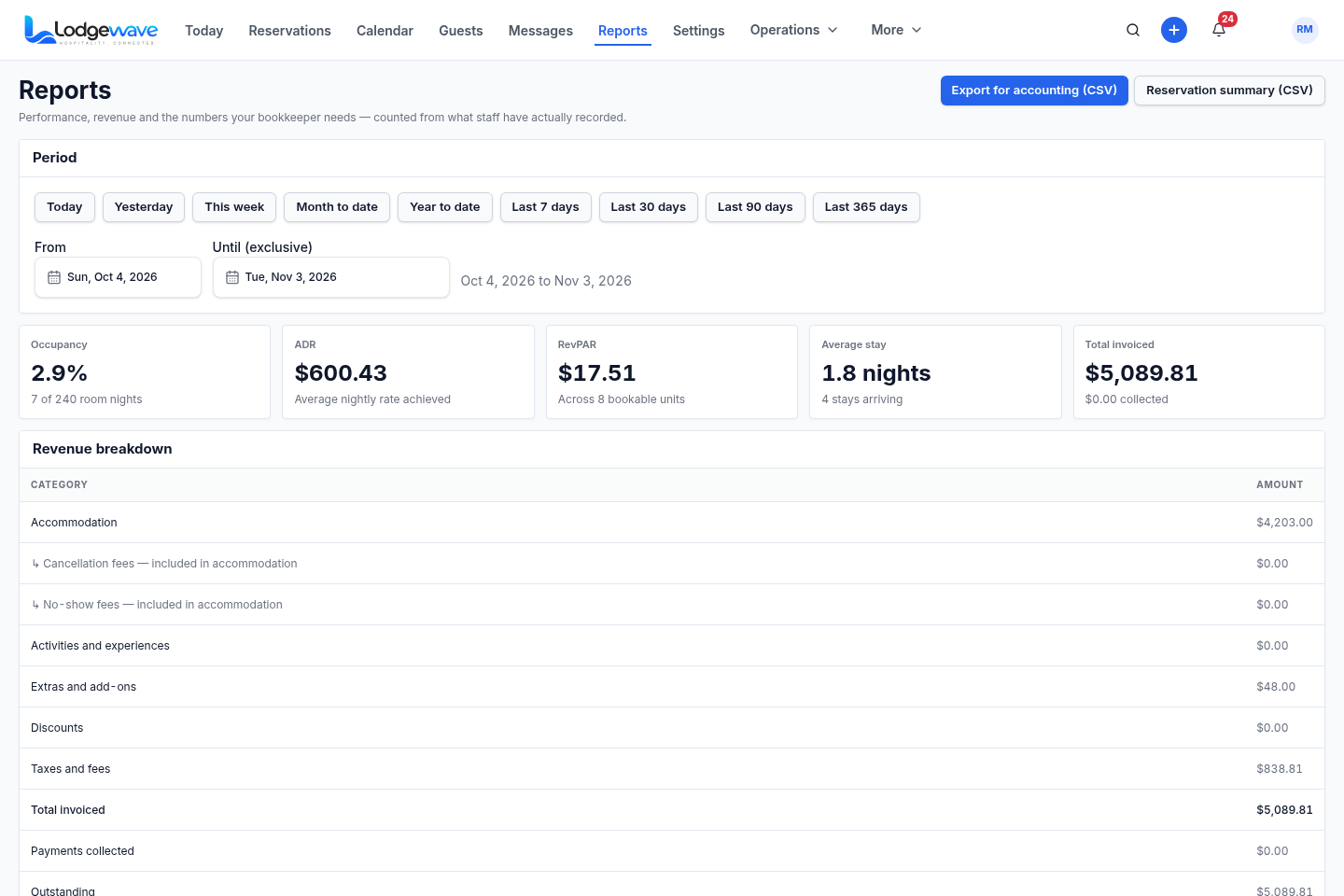
Choose a period and review the occupancy, charges and payments recorded across it.
ACTUAL LODGEWAVE INTERFACE
WHAT CHANGES FOR YOUR TEAM
| Role | Before | Now |
|---|---|---|
| OWNER / MANAGER | BeforePull information from different places to review the period. | NowReview occupancy, recorded charges and payments for the period you choose. |
| FRONT DESK | BeforeCheck bookings, stays and payments separately. | NowWork with the same stay records that feed the reporting view. |
| OFFICE / ADMIN | BeforeReconcile charges and payments from separate lists. | NowReview the charges and payments recorded across the dates you need. |
QUESTIONS FROM PROPERTY OWNERS
You can review occupancy for the period you choose, along with charges and guest payments recorded against the stays in that period.
Yes. Reports uses the property information your team already records in Lodgewave. It presents that recorded work rather than maintaining a separate reporting record.
Yes. Select the period you want to review and see the occupancy recorded for those dates.
Yes. Reports lets you review charges and guest payments recorded against the stays in the period you select.
No. The screen shown here is the Lodgewave Reports interface, not a customer's reporting results. Your own reports reflect the occupancy, charges and payments recorded for your property.
Yes. Tell us about your property and how your team reviews it today. We'll walk through the relevant reporting workflow together and agree on a next step.

NEXT STEP
Tell us how you review your property today. We'll show you how occupancy, recorded charges and payments come together in Lodgewave.