FRONT DESK
Answer with the stay in view.
- BEFORE
- You may leave the conversation to look up the booking.
- NOW
- Review the guest's current stay alongside the conversation.
ANSWER WITH THE BOOKING IN VIEW
Your guests ask about arrival, dinner and plans during their stay. Give your team the conversation and the current booking together, so they can prepare a reply without leaving the thread to look for the reservation.
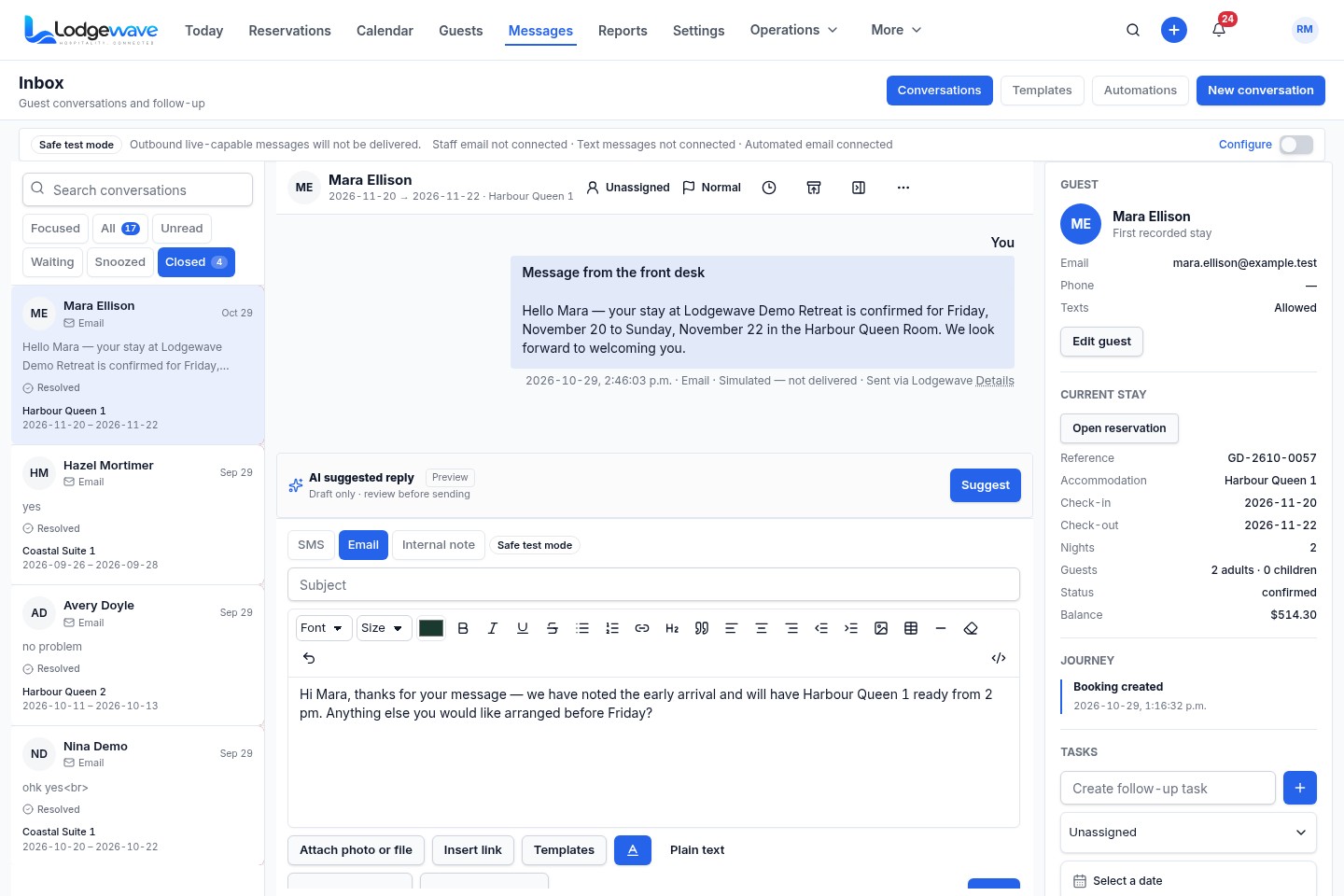
Read the selected guest's messages and conversation history.
Check the current reservation alongside the conversation.
Prepare a text message, email or internal note with the stay in view.
Find the guest's identity and contact details alongside the thread.
WHEN YOU NEED MORE THAN THE MESSAGE
When a guest asks about their booking, your team needs more than the message. If the reservation is held somewhere else, they may have to leave the conversation to find the dates, accommodation and details behind the question.
A WELCOME STARTS WITH LISTENING.
Read what the guest is asking in the conversation.
Check the reservation details that matter to the question.
Prepare your answer with the stay still in view.

FROM THE GUEST'S MESSAGE TO YOUR REPLY
Open the guest's conversation, check the current stay and prepare a response with the booking details still beside the thread.
Choose the guest conversation your team needs to review.
Read the message and the conversation history.
Check the guest's current reservation alongside the thread.
Prepare the reply while the stay details remain visible.
ACTUAL LODGEWAVE INTERFACE
See the conversation and stay details in two guest threads, then look at the pre-arrival and review-request triggers available in Automations.
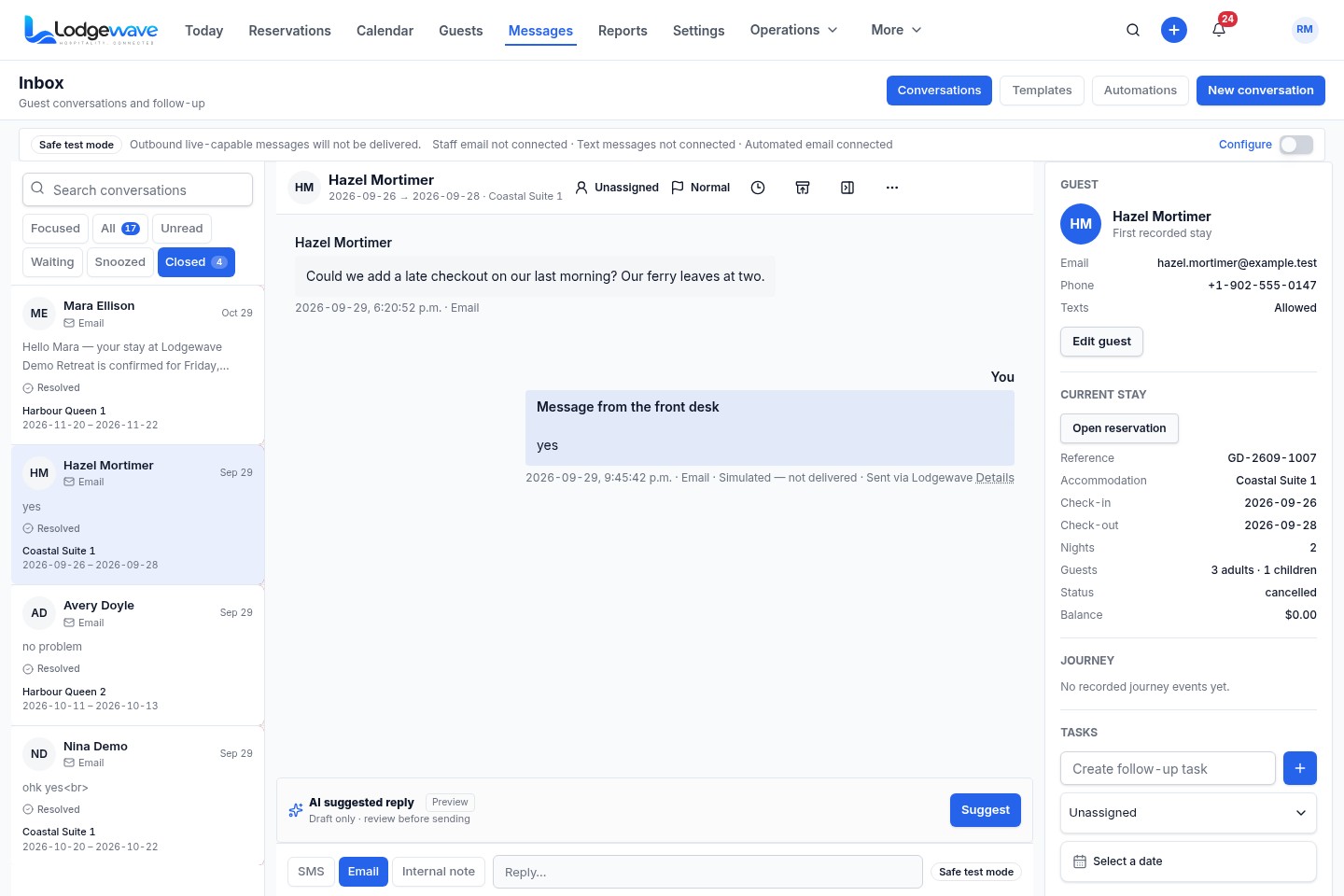
The selected guest's conversation is shown beside their current-stay panel.
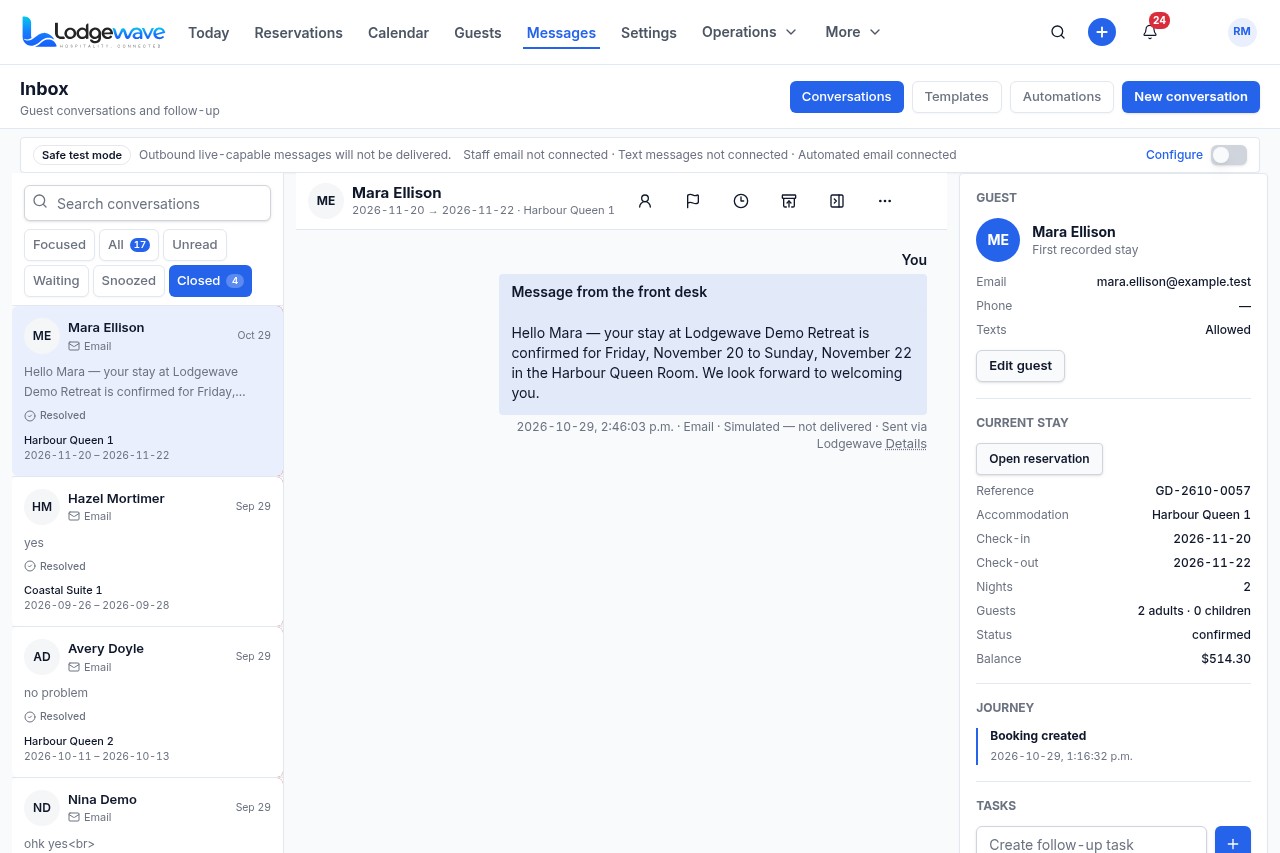
Mara’s conversation opens with her stay details alongside it.
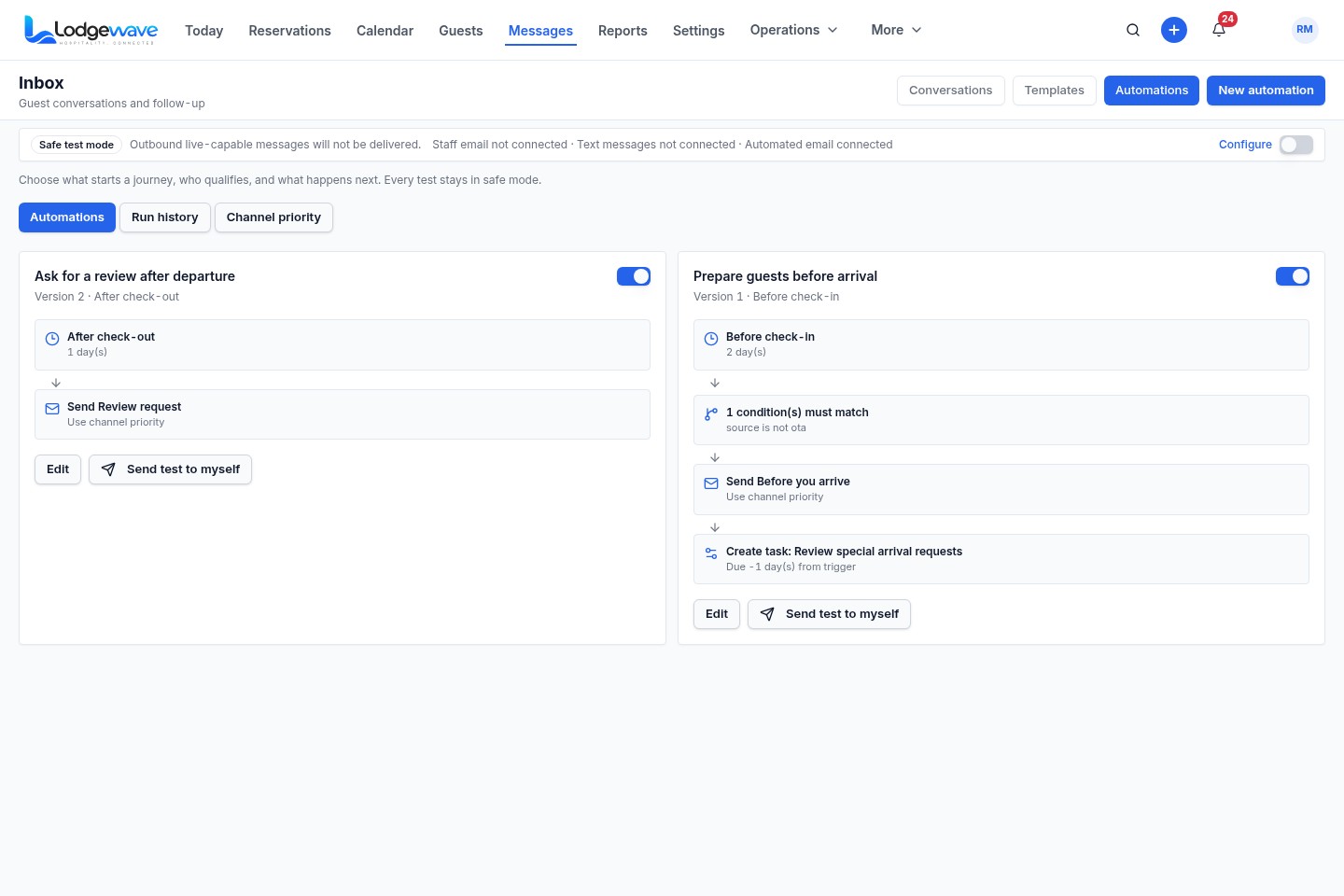
See the pre-arrival and review-request triggers in the Automations view.
WHAT CHANGES FOR YOUR TEAM
FRONT DESK
GUEST SERVICES
OWNER / MANAGER
Yes. The open conversation is shown beside the guest's current stay, including the reservation reference, accommodation, dates, status and balance.
The panel shows guest identity and contact details, reservation information, accommodation, check-in and check-out, guest count, status, balance, booking journey and tasks.
Yes. The stay panel includes an Open reservation action.
Yes. The reply composer can remain open while the guest's current-stay panel stays visible. The demonstrated composer shows a draft, not a sent message.
BUILT AROUND YOUR PROPERTY
Tell us which questions your guests ask, how your team handles replies and where staff have to look for booking information. We can show you the relevant Guest Messaging workflow for your property.