DAY SCHEDULE
Review the sessions shown for the working day.
EXPERIENCES & WELLNESS
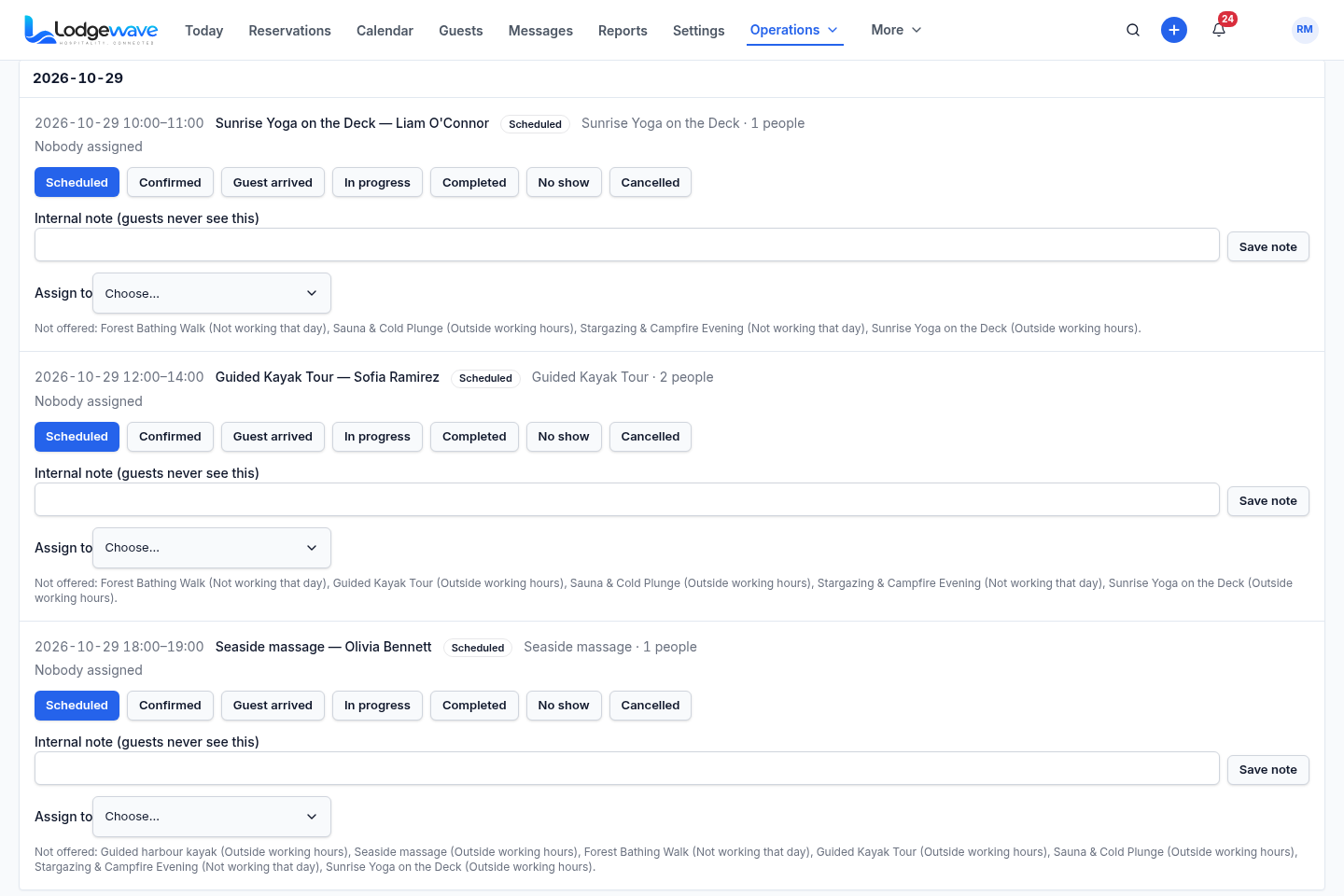
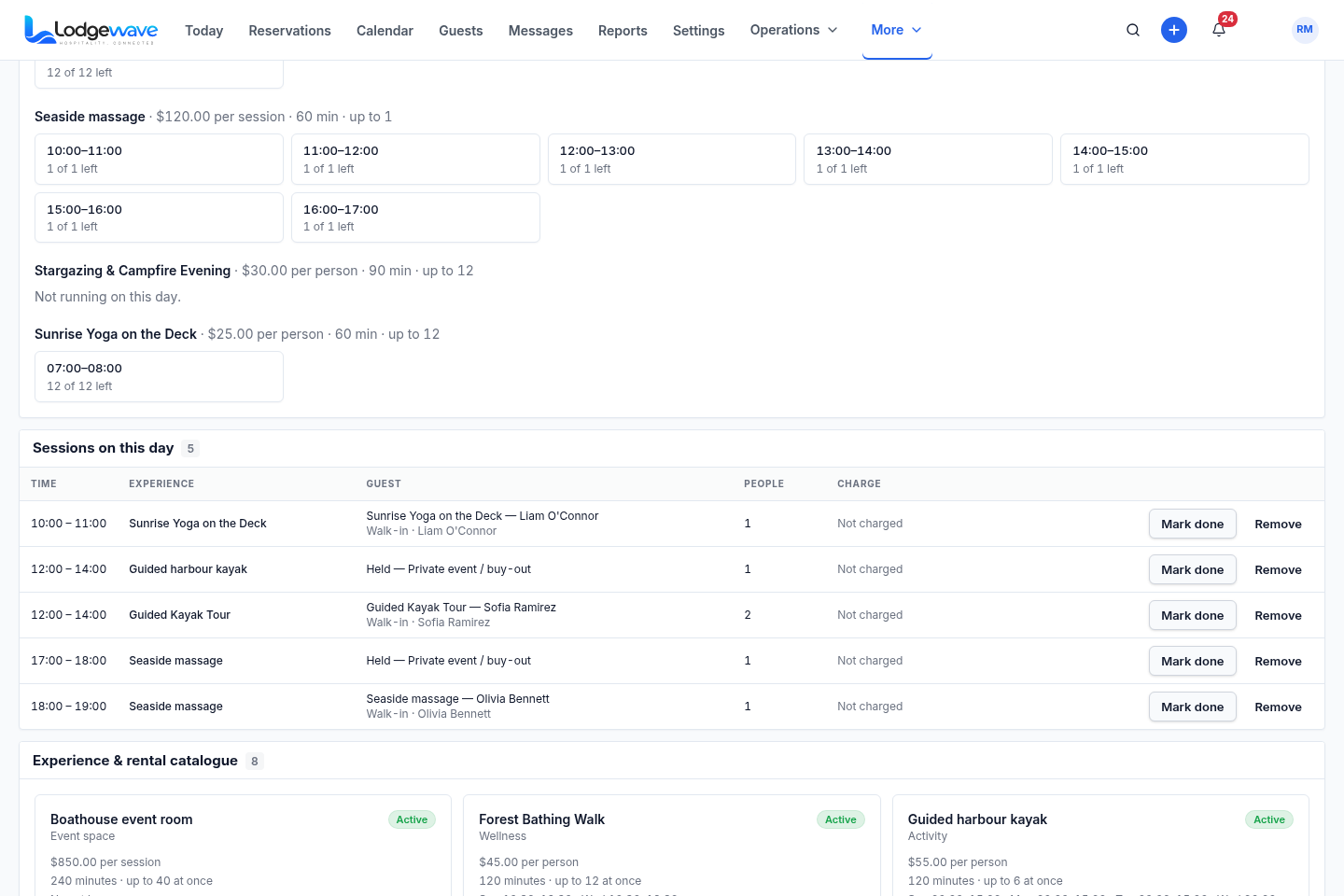
You organise activities, rentals and wellness sessions alongside the rest of your property. Use Lodgewave's By-day schedule to review the sessions and the guest, party size and status information available for the day.
Review the sessions shown for the working day.
Expand a session card within the By-day schedule.
Check the guest and party information shown with the session.
Manage your property's activities, wellness services and rentable resources.
YOUR DAY'S WORK
Your property may offer sauna sessions, yoga, paddling, rentals, tours or seasonal activities. Your team needs to know what is scheduled and who is coming.
Use the By-day schedule to review the sessions and the information available with them. Use the Experiences & rentals area to manage what your property offers.
Check which sessions are scheduled for the day.
Review the guest and party information available with each session.
Review the session status, notes and controls available in the schedule.
FROM THE DAY TO THE SESSION
Start with the By-day schedule. Expand the session you need and review its available details and controls in the same list.
MORNING
01 SEE THE DAY
Review the sessions, times, guest details and status information shown for the working day.
AFTERNOON
02 OPEN THE WORKING SESSION
Expand the session card inside the By-day list. Use the details and controls available there without opening a separate session-detail page.
EVENING
03 SEE WHO IS ATTENDING
Check the named guest, party size and charge state shown with the session. Use the guest and party details available there to help your team prepare for the session.
WHAT YOU OFFER YOUR GUESTS
Use the Experiences & rentals area to manage the activities, wellness services and rentable resources your property offers.
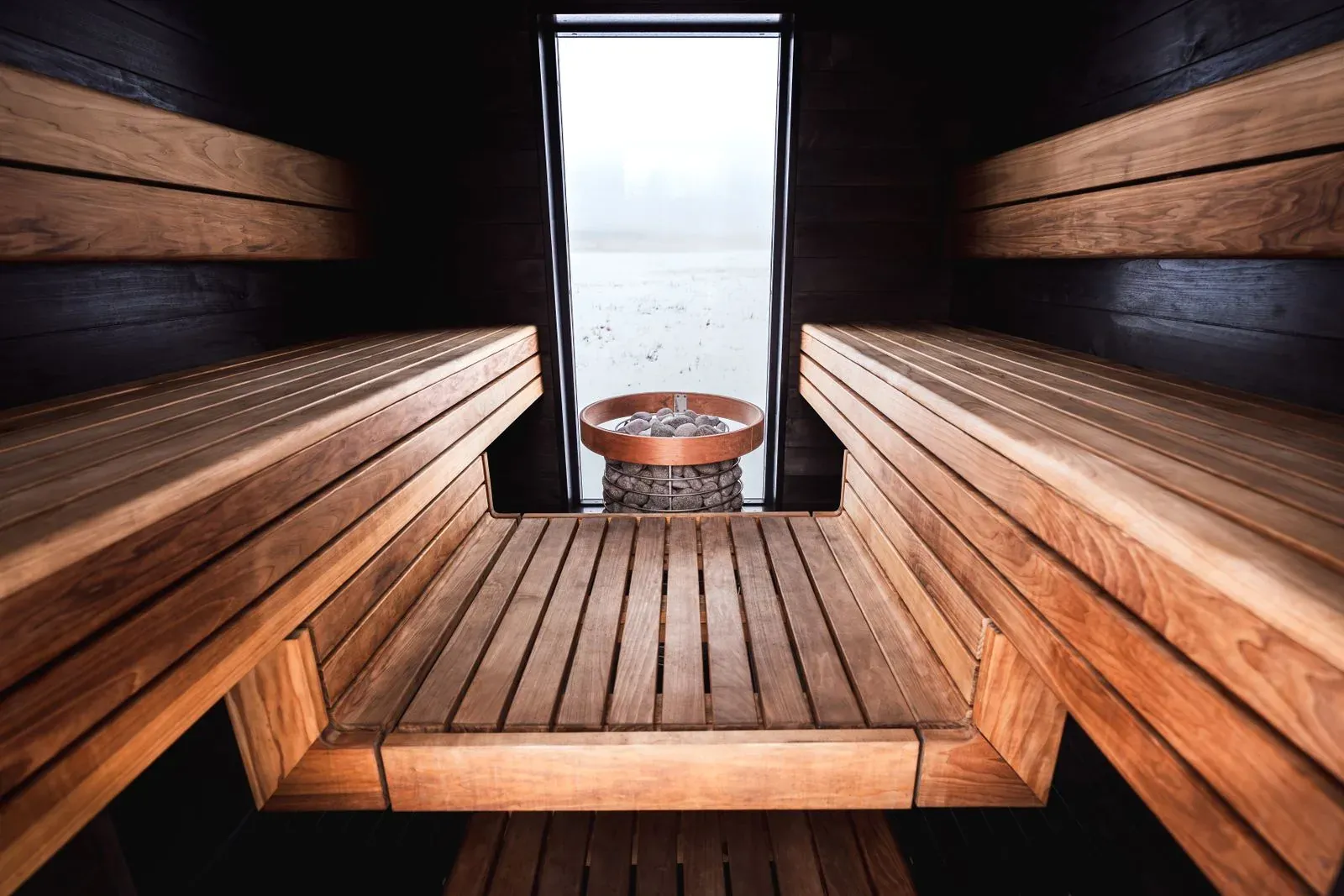
Keep sauna sessions, thermal experiences and other wellness services organised within your property's offering.
Manage the paddling activities and equipment rentals your property offers, such as kayaks and canoes.
Organise your tours, guided sessions and seasonal activities within the property offering.
Manage your rentable equipment and resources in the Experiences & rentals area.
ACTUAL LODGEWAVE INTERFACE
Review the working day with the scheduled experiences and wellness sessions in one view.
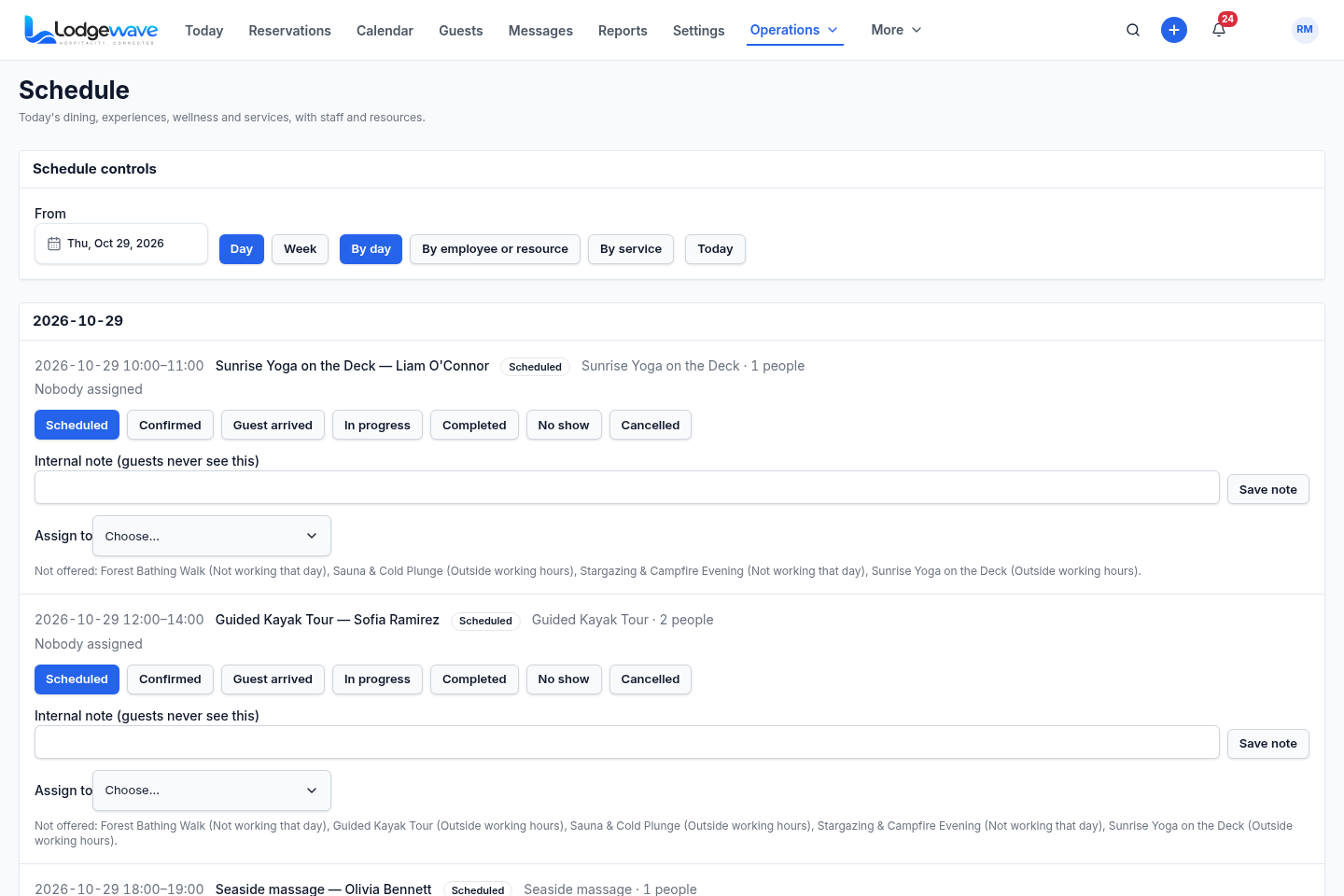
Expand a session inside the By-day list to work with the details and controls available for that session.
See each session with the named guest, party size, and what has been charged so far.
Review and manage the activities, wellness services and rentable resources configured for the property.
GUEST AND SESSION DETAILS
Check the guest name, party size and charge state shown with the session. Use the information available in the schedule to understand what needs attention.
See the named guest shown with the scheduled session.
See the party information available in the working view.
See what has been charged for that session.
WHAT CHANGES FOR YOUR TEAM
QUESTIONS FROM PROPERTY TEAMS
Yes. Lodgewave's By-day schedule shows the sessions running across the working day so the team can review what is scheduled and the session context available for each booking.
The session opens directly inside the By-day schedule as an expanded working card. The team can use the details and controls available there without leaving the day's schedule for a separate session-detail page.
Yes. The working day can show the named guest and party size associated with the scheduled session, along with the other session context the interface exposes.
Review the named guest, party size and charge state shown for the session. Use those details as session information; they do not, on their own, establish a link to an accommodation stay.
Yes. Lodgewave includes an Experiences & rentals area for managing the activities, wellness services and rentable resources offered by the property.
Yes. Tell us what activities, rentals and wellness services you offer, how you organise sessions and what your team needs during the day. We'll review the relevant Lodgewave workflow and discuss how it can fit your operation.
BUILT AROUND YOUR PROPERTY
Tell us what you offer, how you organise the day's sessions and where your team needs clearer information. We'll review the relevant Lodgewave workflow and discuss how it can be shaped around your operation.